Key Takeaways
- AI gun detection identifies potential firearm threats earlier using existing video infrastructure, but detection alone does not protect people. Emergency notifications are the critical bridge that turns a detection event into coordinated, life-saving action.
- Emergency notifications ensure the right people receive emergency alerts and actionable instructions within moments of a verified gun detection.
- Predefined workflows, clear roles, and automation reduce communication delays and confusion during active shooter or firearm-related incidents.
This article provides practical criteria for evaluating emergency alert system integrations, including verification steps, workflow configurability, multi-channel delivery, and training requirements.
Emergency Notifications Are the Missing Link After Detection
As gun violence rates have hit record highs amongst American kids and teens in recent years, shootings are every school’s greatest fear. Innovations like AI gun detection have enabled earlier threat detection, but detections sitting inside a security app don’t automatically lock doors, call 911, or tell the hundreds of students and staff members to shelter in place. What happens in the minutes after a gun is flagged is what determines if the technology can actually protect anyone.
AI gun detection uses computer vision to analyze existing video streams and identify visible guns, generating an initial emergency alert inside a security platform. But an alert on a dashboard is not the same as a response. An emergency notification system (ENS) is designed to quickly broadcast critical alerts during emergencies, taking that detection intelligence and turning it into action by sending targeted messages and instructions to staff, leadership, first responders, and building occupants.
Most people are familiar with public warning tools like Wireless Emergency Alerts (WEA), the Emergency Alert System (EAS), and NOAA Weather Radio. These systems help protect communities during severe weather, national emergencies, and local emergencies. Organization-level mass notification systems serve a parallel role inside campuses, hospitals and workplaces, delivering the building-specific, role-specific instructions that public alerts can’t.
The real value of AI gun detection is what happens next, when paired with ENS: how quickly a verified threat can turn into alerts, clear guidance, and a coordinated response.
Why AI Gun Detection Needs a Response Strategy
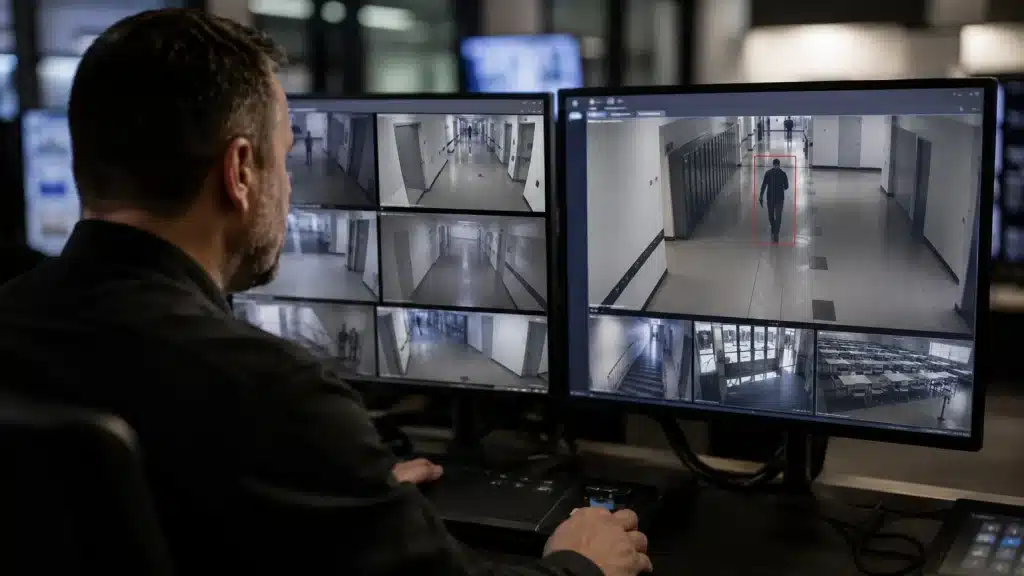
In a broader emergency communications and safety strategy, visual AI gun detection systems are just one layer. Modern AI models can scan dozens or even hundreds of IP camera feeds in real time and flag a gun within seconds of becoming visible, like, for example, when a firearm is being carried through a parking lot towards the front doors. That helps create an incredibly valuable window of time, but without a defined response plan, you’ll waste those extra seconds.
Responsible deployment requires written procedures that link detection to verification, emergency notifications, lockdowns, and law enforcement coordination. Responses should be documented, trained for, and exercised in drills, not made up when the real alert comes.
Earlier Detection Creates an Opportunity for Earlier Action
When an AI gun detection system detects a suspected weapon, a verification step follows: trained security staff quickly review the AI snapshot or short video clip to confirm or dismiss the detection before sending high-impact emergency notifications.
In a multi-building environment, even a 60-90 second head start can allow doors to be locked, floors to be sheltered, and police to be dispatched more effectively. In this sense, AI gun detection complements existing measures like access control, visitor management, guards, and traditional warning systems like PA announcements or local emergency alerts.
The process is simple: Detect → Verify → Communicate → Act → Coordinate. A raw alert answers “What’s happening?” while emergency notifications and workflows answer “Who needs to know, what do they do, and who coordinates the response?” Without that connection, the detection advantage is limited.
The Communication Gap That Can Slow Response
During an active threat, fragmented communication channels and unclear roles can have a greater impact than the technology used to detect the threat. Emergencies can include severe weather, industrial accidents, and active shooters, and in each case the ability to move information quickly across an organization is what separates a coordinated response from chaos.
Many organizations still use manual phone trees, ad hoc group texts, or unconnected PA announcements instead of integrated emergency notification systems. Even in jurisdictions with national systems like WEA, EAS, and IPAWS, internal emergency communication within a campus or enterprise can still be slow and inconsistent.
Fragmented Systems Create Fragmented Information
Imagine a gun detection event at an organization that lacks coordination:
- The security control room sees the AI alert on a video management system.
- Supervisors communicate next steps over two-way radios.
- Leadership uses an internal messaging app.
- Employees get an email and SMS message on their cell phones.
- Facility teams control door locks through a separate access control platform.
- Someone has to manually call dispatch.
In this scenario, someone has to pass information between cable systems, radio stations, phone lines, and software platforms while under extreme stress. Every manual handoff is a bottleneck.
Unclear Roles Add Another Layer of Delay
Critical role questions must be answered in advance:
- Who verifies the AI alert?
- Who sends mass emergency notifications?
- Who calls 911?
- Who initiates lockdown or shelter-in-place orders?
- Who communicates with employees, students or visitors?
- Who gives follow-up instructions and the all clear?
Uncertainty around authority, like whether only a vice president can approve an emergency alert, can add costly minutes. There’s no room for organizational hesitation.
A good emergency notification system should reflect these roles through different templates, permissions and escalation paths rather than making people invent processes in the middle of a crisis.
How Notifications Turn Detection Into Action
Mass and emergency notification systems are often used interchangeably, but they can do different things.
Emergency notifications are time-sensitive, targeted messages that tell specific groups what is happening and what to do. In the context of AI gun detection, effective emergency notifications are not just one mass text but a coordinated set of messages and actions triggered by a verified emergency alert.
Similarly, mass notification systems broadcast urgent alerts simultaneously across digital and physical channels using mass-dissemination technology. Modern mass notification systems can also integrate with AI gun detection platforms, access control systems, and public warning tools to execute a unified emergency response workflow. This makes them especially useful in public-facing spaces, such as shopping centers, where it’s impossible to train everyone who visits in protocols or enroll them in an ENS.
Despite their subtle differences, both communication tools share similar goals. In the context of gun violence, they aim to get instructions to the right people as soon as possible during a crisis through as many means as possible.
1. Get Information to the Right People Faster
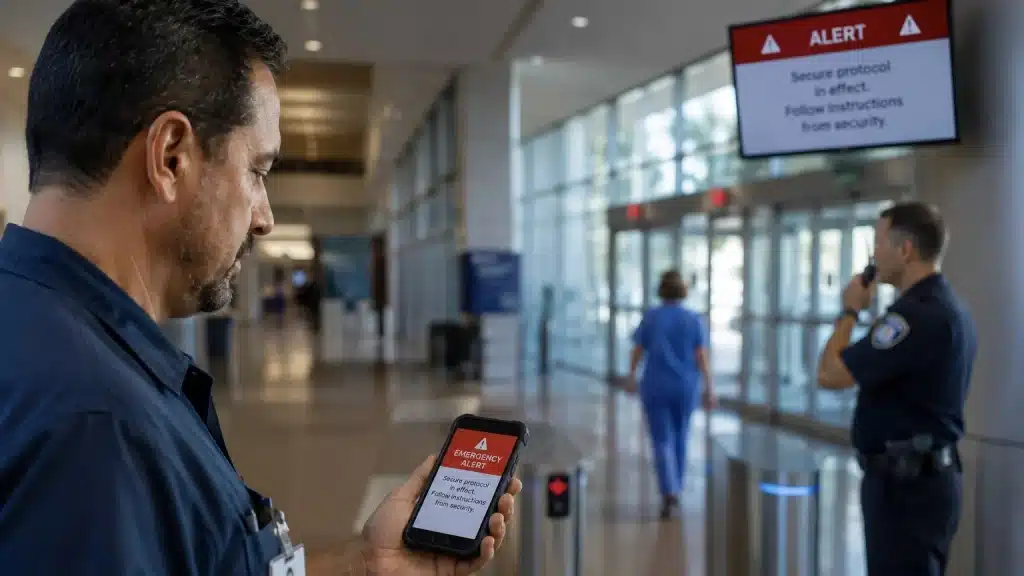
Once a gun detection is verified, preconfigured notification workflows can send custom emergency alerts to security teams, executives, facilities, and on-site staff without manual dialing or typing each message. First responders can get detailed emergency info like camera images, time stamps, and location through secure channels.
Some systems will use geofencing to alert people in affected areas, segmenting audiences so only those in the affected building or floor get the most urgent alerts. They can also log when users receive and acknowledge emergency notifications, so incident commanders have better situational awareness during the event.
2. Deliver Instructions, Not Just Warnings
Compare these two messages:
- Vague Warning: “Emergency on campus”
- Actionable Notification: “Active shooter reported in North Hall, Level 2 – lock doors, turn off lights, move away from windows, remain silent until all-clear”
Good emergency notifications answer three questions: what is happening, where it is happening, and what should I do in the next 30 to 60 seconds. Typical instructions are lockdown, shelter in place, avoid area, evacuate via specific routes, or follow law enforcement instructions.
Authorized administrators create alerts using pre-written templates or customized messages for specific locations, times of day and populations. A clinic at 2 am needs different instructions than a school at 10 am during class. Message templates should be set up in advance so responders can send them with one click.
3. Reach People Through Multiple Channels
Relying on one channel is risky. Some people may have notifications muted on their mobile device, be away from their desk, or experience network congestion on their cellular network. Organizations use multi-channel emergency notification systems to ensure fast information delivery. Multiple channels help with speed and redundancy to make sure messages are delivered.
Channels an enterprise-grade system should support include:
- SMS and text message
- Mobile app push notifications
- Voice calls
- Desktop pop-ups on workstations
- Digital signage takeovers
- Public address systems that broadcast audio instructions to specific areas
This multi-channel approach is the same principle behind public warning concepts like Wireless Emergency Alerts, the Emergency Alert System, and weather radio broadcasts where redundancy is a fundamental design element. Organizations can predefine which channels trigger for which event types (i.e. AI gun detection vs severe weather vs minor operational alert) to avoid over-alerting people and manage message frequency.
From Mass Notification to a Complete Emergency Response Workflow
Communication in crises is necessary, but not sufficient. True resilience comes from having a repeatable emergency response workflow in place from the moment an AI gun detection occurs.
Build the Workflow Before the Emergency
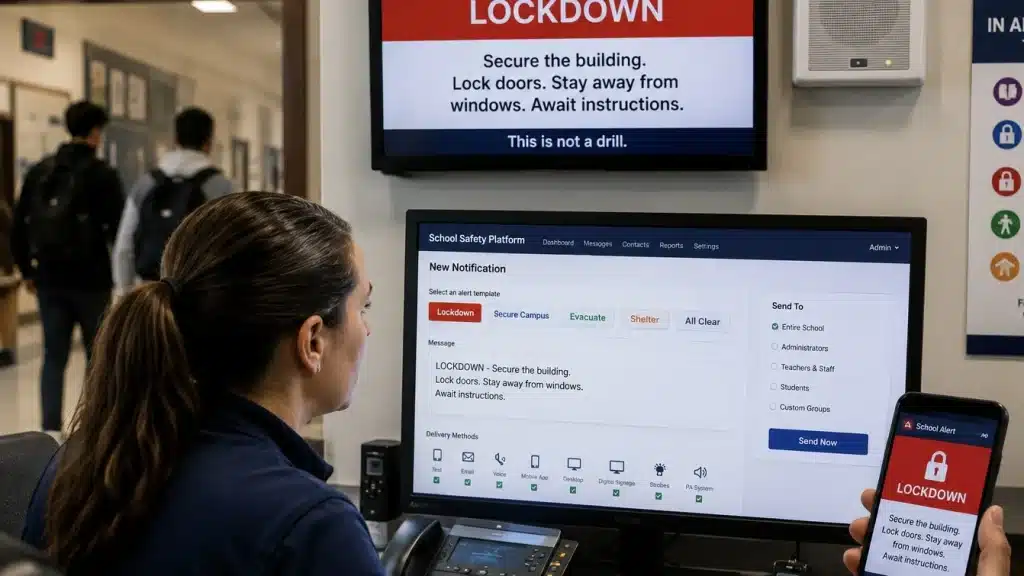
A workflow is a defined sequence of human and system actions, some automated and some manual, that occur in parallel to reduce delays. For example, within seconds of an AI gun detection verification, a workflow can be triggered to:
- Send lockdown messages to affected buildings immediately.
- Alert local police dispatch with camera imagery and the building address.
- Have facilities secure perimeter doors via the access control system.
- Send shelter-in-place instructions to staff; notify parents not to come to campus.
- Send status updates with time stamps to leadership.
- Queue follow-up notifications providing updated information, law enforcement instructions, and all-clear messages.
Some systems have two-way communication for safety confirmations so staff can report in to incident command.
The workflow continues beyond the initial alert, adapting as the situation evolves.
Automation Reduces Dependence on Manual Handoffs
Automation supports the execution of predefined steps reliably under stress; in this use case, it isn’t intended to let the AI gun detection system make high-stakes decisions without human oversight. With systems like Omnilert, automated triggers happen after a detection has been verified and can launch dozens of parallel actions much faster than any individual could manage manually.
Automation reduces the chance of forgetting critical tasks, such as notifying a satellite office or a connected parking structure. It helps ensure consistent, policy-aligned responses across different shifts and locations. Organizations should periodically review and test their automated workflows, simulating events during drills to validate timing, message clarity, and system integrations.
Emergency Notifications Help Clarify Roles and Responsibilities
A well-structured emergency notification system enhances organizations’ emergency operations plans and incident command structures. Mapping notifications to roles makes it clear who is authorized to send which types of emergency alerts, reducing hesitation and conflict during a real threat.
Technology Should Reflect the Emergency Response Plan
Role categories to address in system configuration:
| Role | Responsibility | System Permission |
| Detection/verification team | Reviews AI alert, confirms or dismisses | View detections, trigger verification |
| Incident commander | Decision-making authority | Trigger organization-wide alerts |
| Security officers | On-site investigation and response | Receive priority alerts, access camera feeds |
| Communications/public affairs | Employee and community messaging | Send updates, manage external channels |
| Facilities | Door locks, building systems | Execute lockdown commands |
| Executive leadership | Strategic oversight | Receive status updates |
Each role may have different permissions. A regional manager may send building-specific alerts, and a duty officer or incident commander system-wide notifications. These should be documented and trained on so staff knows how emergency alerts will be handled on nights, weekends and holidays when leadership is off-site.
Different Audiences Need Different Information
One incident can generate multiple messages: a short, location-specific command for those in the building; a situational summary for executives; a coordinated update for law enforcement. Students on a noisy production floor or in a gym may need highly practical, step-by-step instructions tailored to their environment.
External audiences, such as parents, media, or neighboring residents, often need different timing and content and may be better served through separate channels once immediate life-safety messaging is underway. Role-based messaging helps reduce rumor, panic and conflicting information by ensuring people are notified with consistent guidance aligned to their role.
How Public Warning Systems Complement Organization-Level Emergency Notifications
National systems like Wireless Emergency Alerts, the Emergency Alert System, and NOAA Weather Radio provide critical wide-area coverage but are not substitutes for internal enterprise notification platforms. During large-scale events, internal and external warning systems should reinforce each other.
Wireless Emergency Alerts, EAS, and Weather Radio in Context
Wireless Emergency Alerts (WEA) send geographically targeted warnings to compatible mobile devices through participating cell networks. Authorized authorities use FEMA’s Integrated Public Alert and Warning System (IPAWS) to issue these alerts, which feature distinctive sounds and vibrations. The National Weather Service uses WEA for imminent weather threats, including tornadoes, flash floods, and destructive severe thunderstorms, while other authorities use it for AMBER Alerts, evacuations, and other emergencies.
The Emergency Alert System (EAS) distributes emergency information through radio, television, cable, and satellite providers and is designed to enable a presidential emergency address within 10 minutes. FEMA’s 77 Primary Entry Point stations support national EAS distribution. IPAWS connects authorized alerting authorities with public warning channels including WEA, EAS, and NOAA Weather Radio.
These public systems complement rather than replace organization-specific mass notification. Community systems such as Alert LA County can notify residents by text, email, and phone, while internal mass notification systems can deliver more targeted information, such as building-specific instructions, internal procedures, and role-based commands. This added granularity is particularly important for AI gun detection workflows, where rapid, location-specific communication can support broader public emergency alerts.
What to Look For When Connecting AI Gun Detection and Mass Notification Systems

Use this checklist to evaluate solutions that combine AI gun detection with emergency notification.
- Existing Infrastructure: Can AI gun detection run on your existing camera network or does it require new hardware? Can the emergency notification platform connect to access control, digital signage, desktop alert clients, and IPAWS-capable tools? What standards does it support (e.g., CAP messaging formats) to ensure interoperability?
- Human Verification Before High-Impact Actions: Any deployment should have a rapid human review step before sending out large-scale emergency alerts. Look for user interface features that support fast verification with things like clear imagery and time stamps. This balances speed with accuracy and helps prevent false positives.
- Configurable, Policy Aligned Workflows: Can you configure workflows based on your own policies, building layout, and staffing patterns? How easy is it to update workflows, add a new building, change who gets which emergency notifications, or adjust lockdown logic after a drill? Different threat scenarios (parking lot vs classroom) should have different notification and response paths.
- Multi-Channel Emergency Notifications: A good solution should support SMS, mobile apps, voice calls, email, desktop alerts, and on-premise systems like PA and signage so recipients can get emergency alerts even if one channel fails. How fast is delivery, what are the data rates, typical latency, and can you prioritize life-safety messages over regular communications?
- Actionable Situational Intelligence: Beyond saying “gun detected,” the system should share useful context with responders like still images and camera locations. This intelligence should be available on mobile devices and in control rooms with secure, logged, and limited access to authorized users.
- Training, Drills and Testing: Any technology investment must be paired with regular training. Encourage at least annual drills that simulate verified detections so teams can test workflows, message clarity, and integration points. After-action reviews that analyze emergency notification logs, delivery times, and recipient responses help refine templates and workflows over time. The ability to download drill reports and review page-level analytics helps with continuous improvement.
A Stronger Response Comes From Connected Layers
No single technology can solve the complex challenge of responding to firearm threats in schools, workplaces, hospitals, or public venues. Cameras provide visibility. AI identifies a potential firearm. Humans verify the threat. Emergency notification and mass notification systems communicate instructions across audiences and channels. Trained personnel and first responders carry out the response. When these layers work together, organizations gain a coordinated safety workflow rather than a collection of disconnected tools.
That connection between detection and communication is rooted in Omnilert’s history. Long before AI gun detection, Omnilert focused on emergency notification and helping organizations reach the right people with critical information when seconds matter. Today, that emergency notification foundation extends into AI-powered gun detection and automated response, helping organizations move from identifying a potential threat to communicating and initiating action faster.
Omnilert also works with technology and safety partners to connect AI gun detection with the broader emergency notification ecosystem. By integrating with existing infrastructure—including IP cameras, access control, public address systems, and other mass notification technologies—organizations can build on their current safety investments rather than replace them.
Ultimately, the value of AI gun detection isn’t simply how quickly technology can identify a potential firearm. It’s how quickly an organization can turn that intelligence into coordinated action. Emergency notification has always been about shortening the distance between danger and people taking the right action. AI gun detection moves the starting point closer to the moment a threat becomes visible.
Ready to connect detection, notification, and response? Explore how Omnilert can help turn your existing security infrastructure into a more coordinated, proactive approach to gun threat response.
Frequently Asked Questions
How do emergency notifications work with AI gun detection in real time?
When AI detects a possible firearm, it sends an internal emergency alert to a monitoring interface where trained staff quickly verify the image or clip. After verification, predefined workflows automatically send emergency notifications to affected buildings, security, executives, and law enforcement via multiple channels like SMS, voice, and desktop alerts. The whole detect-to-verify-to-notify process happens within seconds, depending on your organization’s policies and verification process.
How do emergency notifications differ from regular text messages or emails during a crisis?
Emergency notifications are generated through dedicated platforms that prioritize speed of delivery, target specific groups and can send to multiple channels at once. Unlike a regular text message or email, these systems are set up in advance with templates, contact lists, and workflows for life-safety scenarios. They also provide delivery tracking, audit logs, and integration with other safety systems that consumer messaging apps don’t have. The audio message through PA systems is another layer that personal devices can’t replicate.
What can organizations do to make sure people actually get emergency notifications?
Get staff and students to register their current contact info, install any required safety mobile apps, and enable critical notification permissions on their devices through the sign-up or subscribe process. Use multiple channels by default for high-severity events so if one path fails due to weak coverage from a wireless provider, the others, like Wi-Fi, desktop alerts, or building PA systems, can still deliver the emergency messages. Run periodic drills that include test emergency notifications so recipients become familiar with the format and expected actions.
How often should emergency notification workflows involving AI gun detection be reviewed?
Review and update your workflows at least annually or sooner if there’s a major facility change, new technology deployment or lessons learned from drills or real incidents. Involve security, IT, HR, facilities, and local law enforcement when revising emergency notifications and procedures. Document changes and retrain key personnel whenever workflows are updated so everyone knows how emergency alerts will be handled, no matter if it’s 5 people or 5,000.