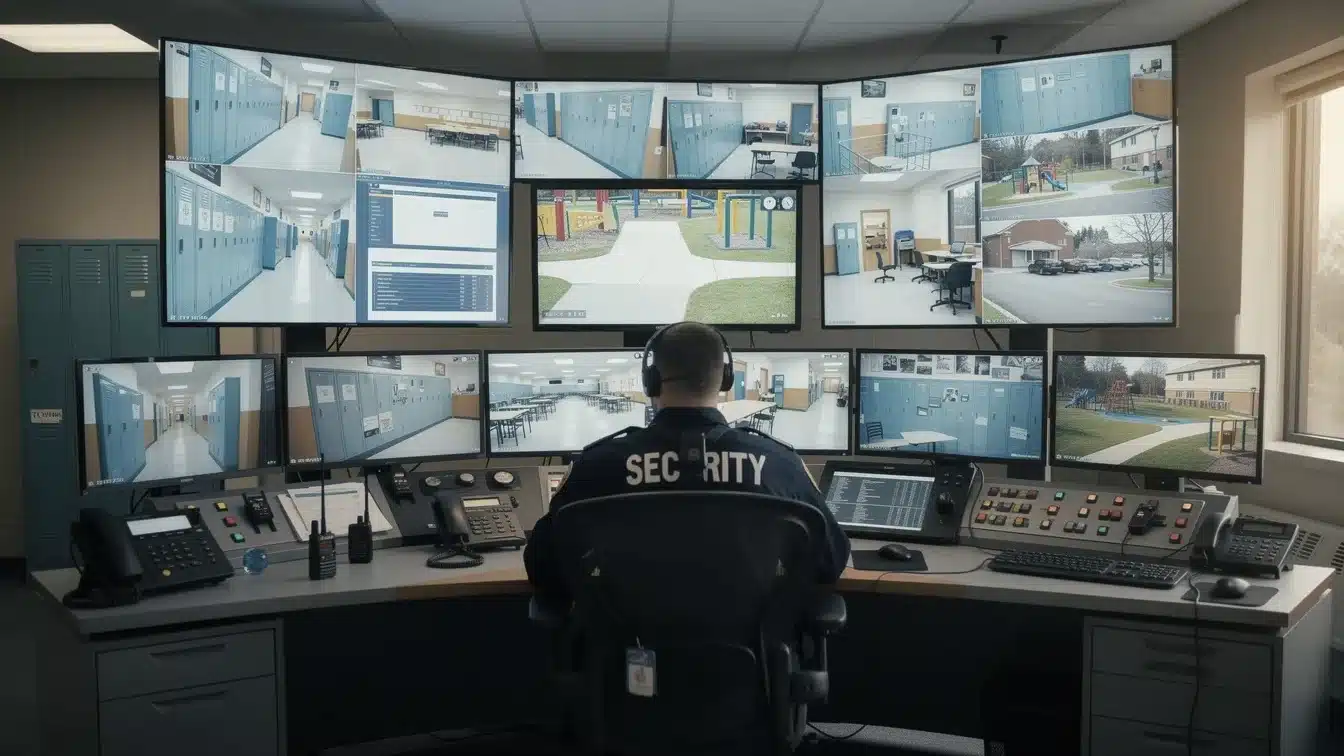
School security needs have dramatically intensified in recent years, with major events, from Columbine (1999) to Uvalde (2022), driving increased investment in protective measures. But mass shootings in schools are statistically rare compared to other forms of gun violence on campuses, and schools deal with a range of other issues every day, like vandalism, bullying, theft and assault.
How is the modern education world adapting to these security challenges? Coordinated and layered strategies that combine security, technology, procedures and training. Mitigating everyday issues and preventing catastrophic incidents is only possible with collaboration and taking proactive steps towards safety.
This guide covers the different parts of a successful security system (access control, cameras, alarms, communication and cybersecurity), offering practical implementation guidance, integration strategies and funding resources for education leaders.
Main Takeaways
- For faster, more coordinated responses, modern school security needs systems that bring separate tools, like access control, video, alarms and communication, together.
- The best school security systems strike a balance between strong security and a good school culture. This means making sure that students and staff get along well, giving them access to mental health resources and making sure that all communication is clear.
- Technology is just one part of making a school safe, secure and welcoming. Ongoing training and drills are crucial to the security system’s success.
What Are School and Campus Security Systems?
No school is exactly the same. Factors including a school’s student age level, location (rural, urban, suburban), landscape and layout, type (public, private, boarding, religious, etc.), and student body size (i.e., 200 people vs. 2,000) can all influence a school’s particular risks.
Here are some of the main differences that come up at different levels of education:
Physical Scope: K-12 schools are usually a single building or a small cluster. Higher education campuses have multiple buildings across a large geographic area. In rural areas, this may be a single campus spanning multiple acres, and in a city, this could be less campus-like with buildings scattered among non-academic buildings.
Operating Hours: Elementary, middle and high schools have fixed schedules, with school days usually falling between 7 am and 4 pm. After-school activities or weekend sports events may keep the facility open. Higher education campuses have much longer hours, with residence halls always occupied and libraries, gyms and other shared facilities sometimes staying open 24 hours a day.
Threat Profile: K-12 schools are most at risk from unauthorized visitors, fights between students and targeted violence. Colleges and universities tend to have more challenges, such as theft, assault, property crime and keeping people safe at public events. Things like hazing and underage substance use are more common in higher education and can complicate things further. Gun violence affects both K-12 and higher education, but the way it happens may be different. Additionally, as education becomes more digital, new cybersecurity threats emerge.
Access Patterns: Most K-12 schools have controlled entry systems that limit visitors and require them to show ID and sign in. On the other hand, higher education campuses usually have open campuses where many people come and go, such as friends, family, guest speakers and public events. Some buildings, like residential halls and chemistry labs, may have stricter access rules than others.
Technology Complexity: The level of technological complexity ranges significantly across educational levels. K-12 schools are more likely to have security systems that are centralized and have one control point. College campuses, on the other hand, usually have a distributed architecture with several monitoring locations.
Typical Staffing: K-12 schools have a smaller security staff than higher education institutions. They may only employ part-time security staff and have one or more school resource officers helping out. Colleges and universities are much more likely to have a large security staff and most even have their own campus police department.
Parts of the Campus Security Puzzle
What makes up campus security systems? Despite their differences, every educational campus should have a security system that consists of features in the following categories:
- Physical security (access control, door locks, etc.)
- Surveillance/CCTV
- Communication systems
- Procedures
- People
How a school’s specific challenges are addressed using these elements depends on the needs of the school.
Access Control and Door Locks for Schools and Campuses
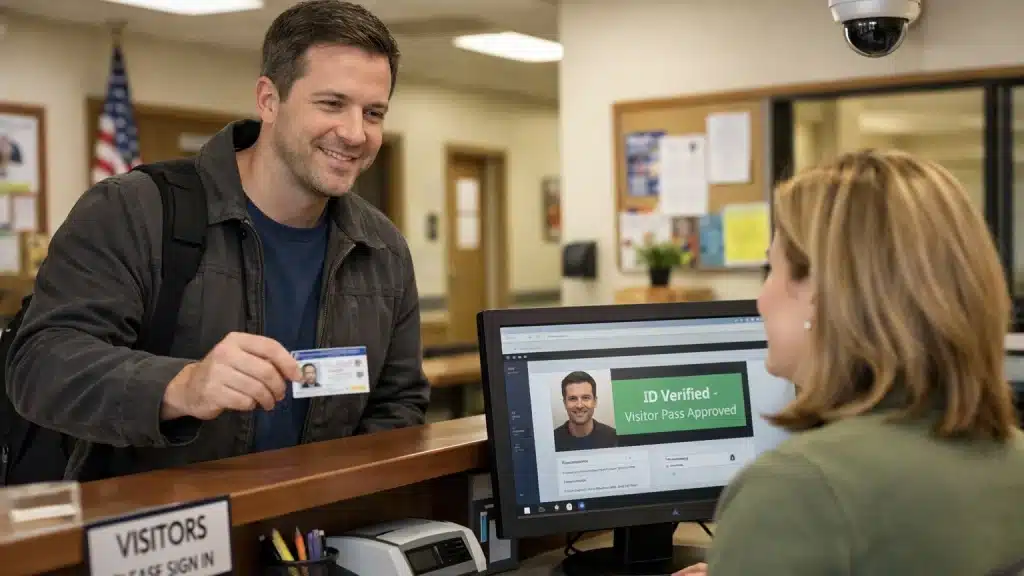
One of the first lines of defense on educational campuses is access control. By requiring credentials at all external doors, access control prevents unwanted entry during school hours. This keeps the school safe so that students and staff can focus on learning.
The same systems keep buildings safe after hours, automatically changing who can get in for evening activities, sports and community use. Access on weekends and holidays may only be available to certain maintenance or authorized staff.
Up-to-Date Hardware
Hardware upgrades are often the first thing on the list to address after an incident to control who can enter the campus and its buildings. Door hardware must adhere to both security and life-safety/accessibility codes. Fire codes require free evacuation routes during emergencies, meaning doors cannot trap occupants. Emergency exits must be secured yet accessible during emergencies. ADA requirements ensure access control accommodates individuals with disabilities.
Using technology to improve access control
Schools can use a lot of different technologies to improve access control, such as PIN keypad readers, card readers, wireless locks and mobile access credentials. Advanced systems often combine access control with video surveillance to check who is who.
Labs, server rooms, nurse offices and testing facilities are examples of special-use areas that need stricter access. This could mean using multi-factor authentication, limiting access to certain times and keeping detailed records of all actions.
Administrative policies cover things like giving contractors and visitors temporary access, setting access levels, taking away credentials when someone leaves and giving out keys and cards. It’s important to remember that even the best technology won’t work if the way things are run is bad (for example, if doors are left open or old credentials are still valid).
Important Design Considerations for Access Control
- Ease of Use: Design choices should be based on how easy it is for teachers, staff and (when relevant) students to use. Systems that frustrate users on a daily basis can lead to propping doors open and workarounds that undermine security. Readers should be able to respond quickly, credentials should be easy to carry and the system shouldn’t slow down when there are a lot of changes going on.
- Quick Onboarding and Offboarding: It’s important for schools to have quick onboarding and offboarding processes because new students join and old students leave every year. Integrating with student information systems or HR databases can help automate the process of issuing credentials when new students enroll and revoking them when they leave to keep security tight.
- Role-Based Access: There should be distinct regulations for contractors, substitutes and guests to enter, including temporary passes, escort requirements and automatic expiration.
- Scalability: The ability to add new buildings or grade levels to the system means that the initial investment will still be useful as the district grows. Open-architecture platforms that accept hardware from multiple manufacturers avoid vendor lock-in and provide flexibility during the lifecycle of access control infrastructure.
Stakeholder collaboration between facilities, IT, school leadership and security teams produces better access policies. Every group contributes unique viewpoints on technical specifications, administrative demands, practical operations and protective priorities that must coincide for successful implementation.
Security Cameras on Campus
Video surveillance, a standard in American schools, monitors entrances, hallways, cafeterias, parking lots, fields and perimeters to deter incidents, support investigations and enable real-time response. Modern camera systems usually use video management systems (VMS) that provide schools with the software for live monitoring of multiple feeds, recorded playback, evidence export and hardware health checks.
Many districts have switched from outdated analog systems to higher-resolution IP cameras in recent years. These improvements capture clearer images of faces, license plates and other details, significantly aiding investigations.
Different Types of School Security Cameras
The following kinds of cameras are frequently found in campus and school settings:
- Bullet cameras: Ideal for exteriors (mounted on walls or poles) due to their long range and weather resistance. Their visible housing provides deterrence and protects components commonly used for parking lots, fields and perimeters.
- Dome cameras: Suit indoor areas (hallways, lobbies, classrooms) due to their discreet, often vandal-resistant design, making coverage direction unclear to potential wrongdoers.
- Panoramic cameras: Capture 180 or 360 degrees from one spot, reducing camera needs in large open spaces like cafeterias, gyms and courtyards.
- PTZ (pan, tilt, zoom) cameras: Deployed in stadiums, large outdoor quads and along fences for real-time tracking, and can be operated manually or automatically.
Video Analytics and AI in School Surveillance
Many K-12 schools and higher education campuses across the country have started implementing the use of AI in security, particularly with AI video analytics and visual gun detection. This is because artificial intelligence has the potential to turn passive surveillance monitoring into active threat identification.
Video analytics software constantly scans footage looking for things like loitering, fights, crowd surges, perimeter breaches or restricted zone vehicle entry, and notifies security staff of anything flagged as concerning. Alerts appear with associated video for rapid assessment and response, multiplying the effectiveness of limited security staff. This helps to reduce the need for constant monitoring.
While AI gun detection and other advanced capabilities use similar techniques to analyze live feeds, they are specifically focused on detecting firearms. Detections can be made in seconds when a gun becomes visible, and once verified by a human, a response can be made. AI gun detection builds a multi-layered defense strategy when combined with access control systems. For example, a confirmed finding of a gun close to a school entrance can automatically initiate lockdown procedures, limit access to impacted areas and alert local law enforcement and on-site security staff. During a critical incident, this smooth integration facilitates prompt and effective response, potentially saving crucial seconds.
Beyond threat detection, these technologies support continuous efforts to prevent gun violence by giving school administrators and security teams actionable data. Vulnerability assessments and physical security measure enhancements can be guided by routine analysis of detection events.
Rules and Regulations for Camera Use
Privacy rules and local regulations govern camera placement; cameras are barred from restrooms, locker rooms and counseling areas (areas with a reasonable expectation of privacy). Schools need to find a balance between privacy and coverage and document it in policies. To learn more about the legal regulations of surveillance cameras in schools, concerns and the best practices for implementing them, read this article.
To reduce disruptions and ensure that real threats get the attention they require, the use of AI in school security requires clear policies and procedures to handle detection verification. Data governance frameworks must define who can view footage, retention periods and procedures for sharing video with law enforcement in order to prevent misuse and ensure availability when required by law.
Communication Tools for School Security
Threat detection without proper communication protocols becomes ineffective, and in schools, communication is a must. Security teams and key administrators often use radios or “walkie-talkies” to communicate with each other, but there are more people on an educational campus than this group.
Intercom systems are a cornerstone of modern school security, providing a direct line of communication between classrooms, administrative offices and security personnel. These systems enable real-time announcements, two-way conversations and rapid dissemination of critical information during both routine operations and emergencies.
For example, when a visitor requests entry at a secured door, staff can use the intercom to verify their identity before granting access, often while viewing live video from a nearby camera. In the event of a security threat, intercom systems allow administrators to issue clear, immediate instructions to students and staff, helping to coordinate lockdowns, evacuations, or shelter-in-place procedures. This capability is essential for maintaining order and safety during high-stress situations.
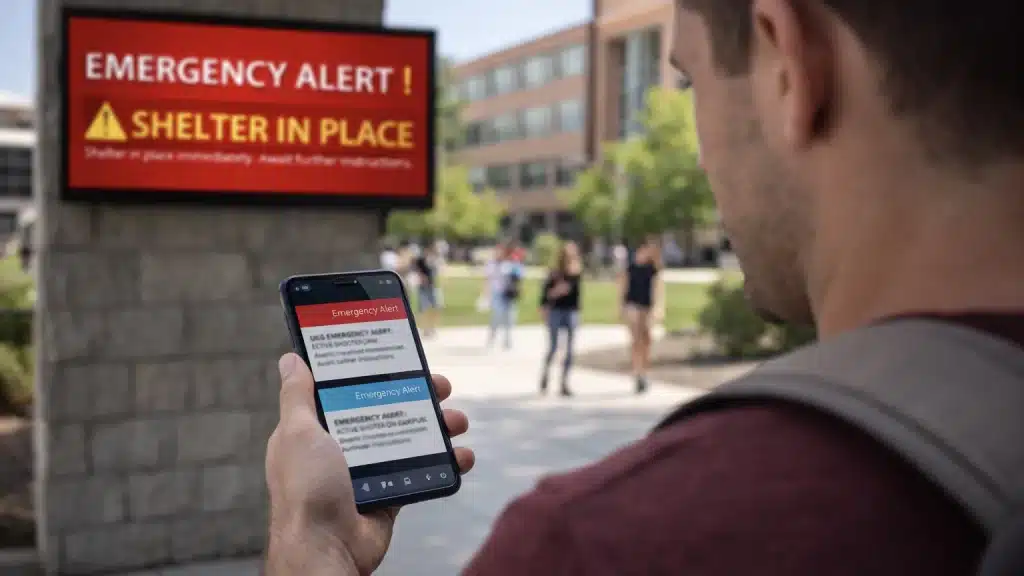
Emergency notification systems (ENS) are also used in schools, most commonly at a higher education level. These systems go beyond one or two methods of communication and allow information to be spread using multiple channels:
- SMS
- Push notifications
- Voice calls
- Desktop alerts
- Digital signage
- Social media
- Intercoms
ENS helps to make sure that everyone, including students, administrative staff, educators, facilities managers and visitors, can get key information quickly during an emergency.
Alarm Mechanisms
Alarm systems can act as both a deterrent and an information system, letting administrators know when an intrusion has happened, a fire has broken out, there is an environmental quality deficiency, or something else requires attention. Three types of alarm systems that can be used in educational environments are:
- Intrusion alarms (like door/window contacts or glass-break and motion sensors) protect school buildings during unoccupied hours, alerting security to unauthorized presence and supporting lockdown procedures.
- Fire and life-safety systems (NFPA-compliant access panels, smoke/heat detectors, sprinklers, pull stations) operate separately but coordinate emergency response, initiating evacuation and door unlocking. Protocols must also cover natural disasters.
- Modern environmental and safety sensors extend detection: vape detectors in restrooms, air quality monitors for chemical/HVAC issues, noise sensors for disturbances and gunshot detection for acoustic signatures and location.
Any alarm events should be able to be linked to building floor plans so that dispatchers and responders can quickly find the exact locations (for example, “Room 203”). This makes them easier to act on than general messages like “Zone 7 alarm,” which may need more information to respond to.
Anonymous Reporting Tools
For early detection, it is important to have tip lines and tools for reporting anonymously. Schools and universities that offer students ways to report concerns discreetly can proactively deter potential threats. In fact, an NIJ study found that schools using these tools have 13.5% fewer violent incidents than those without them.
These systems hinge on the “confidentiality” aspect: When students feel safe to report incidents, such as bullying, harassment, or a violent threat made by another student, without the fear of repercussions, they are more inclined to do so.
Emergency Protocols and Lockdown Procedures
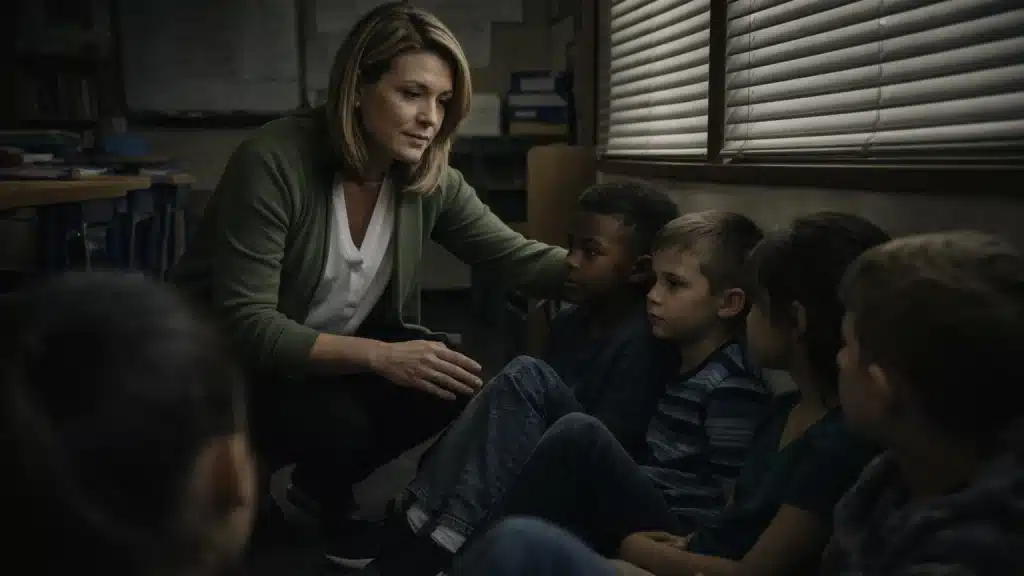
Different lockdown types address different threats: Full campus lockdowns secure all buildings during confirmed threats; partial lockdowns isolate specific buildings; and shelter-in-place procedures are used for environmental dangers like chemical spills or severe weather.
Modern, interconnected alarm, access control and emergency notification systems automate lockdowns. For example, when authorized personnel initiate a lockdown, access control instantly locks exterior doors, the alarm systems activate and PA systems play pre-recorded, specific instructions. Digital signage could display alerts and mass notification platforms send alerts via SMS, email and connected apps to staff and families.
Networked systems enable administrators to initiate lockdowns remotely via secure locations or mobile devices, critical for quickly developing threats when the administrator is away from the control panel.
Regular emergency preparedness drills, including active shooter exercises, are essential for staff and students to be able to follow procedures under stress. The U.S. Department of Education recommends announced drills with educational components over surprise scenarios to ensure preparedness while avoiding trauma.
Collaborating with Emergency Responders
To develop strategies for handling potential threats, school administrators and the local police should collaborate closely. This will guarantee that police officers and security personnel are prepared to respond swiftly and efficiently in the event of an emergency.
In addition to a school-employed security team, many K-12 schools today have school resource officers (SROs) who are sworn law enforcement officers assigned to one or more schools in an area. They can help with managing emergencies, educating students on things like bullying and substance abuse prevention, and law enforcement on school premises. On college campuses, many schools have their own police department to manage safety and security efforts on campus and liaise with other local emergency response agencies.
School staff, security teams and law enforcement can get to know and trust each other better by having regular training sessions and emergency drills together. These drills give everyone a chance to practice their roles, improve how they communicate and find ways to make emergency response plans better.
Law enforcement and SROs can also help a lot with looking into incidents, choosing security technology and figuring out how serious a threat is. Their involvement makes schools safer overall and makes sure that students and staff have the latest tools and information.
Cybersecurity for School Security Systems
Educational institutions are attractive targets for cybercriminals due to the volume of data stored. Modern school security components (cameras, access control, intercoms) are IP devices on school networks, making them more vulnerable to cyberattacks. These attacks can compromise safety systems, expose sensitive data, or breach district networks. And ransomware attacks have substantially increased in recent years; a 2024 report found that 63-66% of schools were hit by ransomware that year.
Cybersecurity needs to be a part of security systems from the start. Network segmentation, strong authentication, regular firmware updates and checking vendors’ cybersecurity practices are all important steps. All users also need to keep getting security awareness training.
IT and physical security must work together to make sure that security networks follow the district’s cybersecurity rules (for example, password requirements, patching and monitoring). IT and security operations need to talk to each other regularly about threats and how to protect against them. Regular campaigns to raise security awareness help create a culture of security.
Best Practices to Protect Connected School Security Systems
- Make sure that all administrator accounts on video management systems, access control platforms and alarm monitoring software have unique, strong passwords and multi-factor authentication (MFA). Default passwords are one of the most common ways that hackers get into security devices, so they need to be changed as soon as the device is installed.
- Put cameras, access control panels and other security devices on separate VLANs that are not part of the main school networks. Set strict firewall rules that only let in the traffic that is needed to limit these devices’ access to the internet. Do not put security system interfaces directly on the public internet without a VPN or other protective layers.
- Maintain a complete inventory of all connected security devices, including cameras, controllers, readers and network equipment. Schedule regular patching and firmware updates based on manufacturer releases and vulnerability announcements. Outdated firmware with known vulnerabilities invites exploitation.
- Conduct periodic vulnerability assessments and security audits specifically covering physical security technology. These reviews should examine network architecture, authentication practices, data handling and integration points that could create security weaknesses.
- Provide cybersecurity awareness training for staff who manage video, access control and alarm systems. These individuals must recognize phishing attempts and social engineering tactics that might target their administrative access. Attackers often find it easier to trick humans than defeat technical controls.
- Set up procedures for responding to incidents that involve security system breaches. Plans should include scenarios like ransomware attacks on VMS platforms, people getting into camera footage without permission, and attacks on access control that could put the security of the building at risk.
Security Management Platforms and Operations
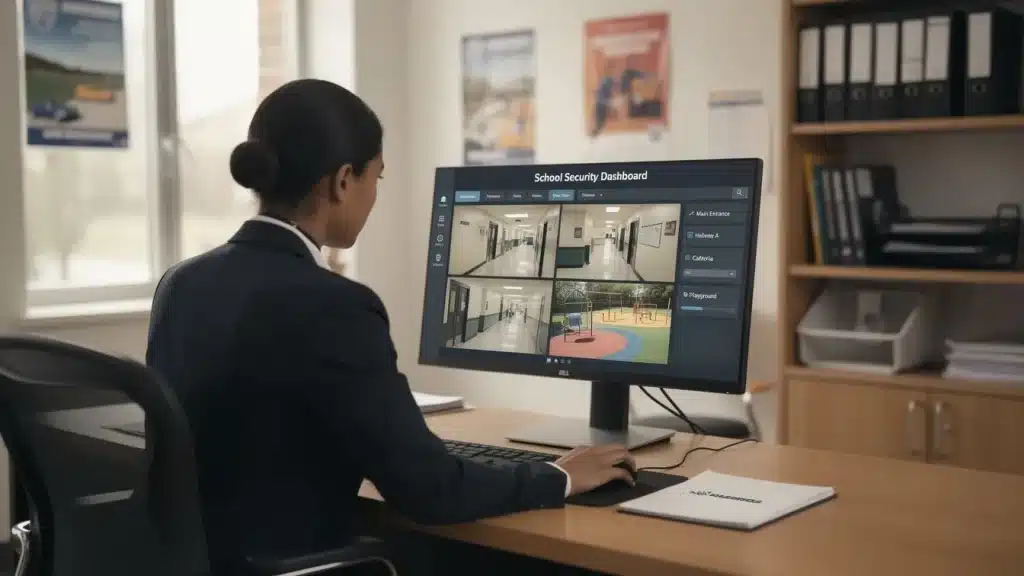
Security management platforms bring together the monitoring and control of alarms, cameras, access and visitor management into one place, making it easier for security staff to do their jobs without having to switch between different programs. Fewer screens, consistent reporting, trend analysis and easier training through a single platform are some of the benefits for districts. Centralized dashboards offer rapid assessment of door states, camera views, alerts and device health.
These interconnected platforms make it easier for small groups to manage more than one site. District directors can keep an eye on all the buildings, find problems and coordinate quick responses like lockdowns or shelter-in-place without having to travel.
Operational practices complement technology: Standard operating procedures tell people how to respond; logging incidents lets you look back and analyze them; after-action reviews help you make things better; and regular drills check how well the system works. Security experts make these systems and make sure that staff are up to date on the latest rules.
Handling False Alarms
False alarms can make people lose faith in school security systems and cause dangerous complacency. To stop this “cry wolf” effect, schools need to have clear, living rules and do regular, realistic drills for different situations, like lockdowns and reunification.
Clear communication and designated roles are vital for a coordinated response. New technologies like AI and video analytics are helping to cut down on false alarms. These tools analyze data in real time, aiming to differentiate genuine threats from harmless events. By flagging anomalies for security personnel verification before a school-wide alert, they enable a tiered, proportional response and can prevent unnecessary disruption.
In short, strict rules and smart, human verification-focused technology can work together to greatly reduce false alarms. This dedication protects staff and students, preserves instructional time, keeps everyone alert and rebuilds confidence in emergency response capabilities.
Funding and Grants for School Security
When it comes to actually implementing security systems in schools, one of the biggest barriers to meeting schools’ needs is money. Fortunately, there are some funding opportunities they can apply to.
One of the biggest sources of funding is federal grants. Examples include:
- The STOP School Violence Act grant program, administered through the Department of Justice, funds threat assessment teams, anonymous reporting systems, school security training and security technology.
- The COPS School Violence Prevention Program (SVPP) supports coordination with law enforcement and evidence-based security enhancements. State-level school safety grants vary by location but have expanded substantially since 2018.
- The Nonprofit Security Grant Program (NSGP) can be used by nonprofits, including religious or private schools, to meet security needs.
Typical expenses covered by these grants include access control upgrades, video surveillance systems, emergency communication tools, training programs and security planning efforts. Some grants specifically support technology purchases, while others emphasize training and coordination activities. Grant requirements vary, so schools must review specific program guidance before applying.
In addition to formal needs assessments that specify priorities and approximate costs, schools should create multi-year security plans. When grant opportunities arise, these documents put districts in a position to act swiftly, exhibiting careful planning as opposed to haphazard requests. Security assessments using frameworks like PASS (Partner Alliance for Safer Schools) or ZeroNow help to strengthen grant applications.
SchoolSafety.gov provides a Grant Finder tool helping K-12 leaders identify active federal programs and application deadlines. State education agencies maintain information about state-specific funding opportunities. Collaborating with seasoned security integrators facilitates the creation of precise technical scopes and cost estimates that meet grant documentation specifications and guarantee workable implementations.
Steps for Implementing School Security Systems
Systematic planning is essential for establishing comprehensive security in educational facilities. Use the following framework to evaluate your current security posture and prioritize necessary improvements.
Initial Assessment and Risk Analysis
- Formal Security Assessment: Start with a formal evaluation that follows accepted standards, like the PASS School Safety and Security recommendations. Expert security consultants are able to objectively assess the state of affairs, pinpoint weaknesses and rank enhancements according to the impact and likelihood of possible threats.
- Site Risk Assessment: Analyze your facility’s specific risks. This involves examining building layouts, access points, external visibility, neighborhood conditions, historical incident data and unique community-specific threats. This analysis is the foundation for all subsequent security investments.
Physical Security Foundations
- Access Control and Door Locks: Evaluate current door hardware, electronic access control capabilities, credential management procedures and visitor management systems. Identify exterior doors that lack electronic control and interior doors that require restricted access.
Monitoring and Detection
- Video Coverage Evaluation: Identify surveillance gaps by mapping existing cameras against all critical monitoring areas. Assess camera quality, video retention policies and Video Management System (VMS) capabilities for effective live monitoring and investigation support. Focus upgrades on operational priorities rather than simply maximizing camera count.
- Alarms and Sensors: Ensure coverage for intrusion detection, fire/life-safety compliance and specialized concerns like vaping or environmental hazards. Alarm events must accurately display locations on building maps for rapid responder deployment.
Emergency Response and Communications
- Communication and Notification Systems: Implement and regularly test systems for coordinated emergency response. Evaluate public address (PA) systems, mass notification platforms and procedures for immediately reaching staff, students and families to ensure reliability when needed.
- Procedures and Training: Technology must be supported by effective human action. Regularly review and practice emergency protocols, including lockdown procedures, active shooter drills and evacuation plans. Ensure all staff receive regular training and students clearly understand their roles and expectations.
System Integrity and Longevity
- Cybersecurity Assessment: Involve IT teams to specifically examine the security system networks, authentication protocols, patch status and all integration points that could introduce vulnerabilities to the physical security infrastructure.
- Maintenance Plans: Prevent system degradation through a structured maintenance plan. Budget for ongoing service, cleaning and eventual replacement of aging equipment, and schedule regular testing for all security components.
Balancing Safety, Culture and Student Well-Being
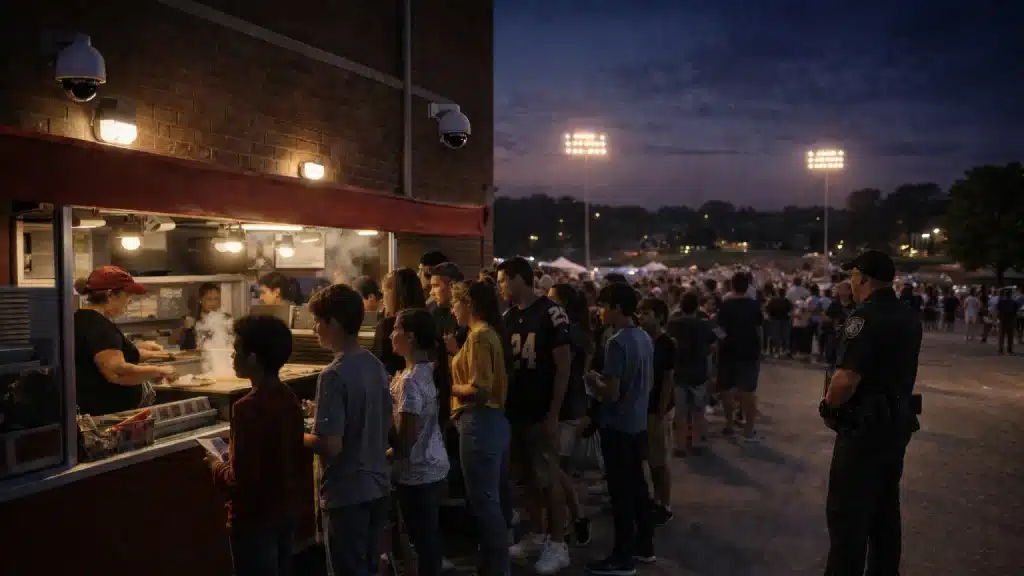
At the front of all school security efforts is the educational mission. Security systems shouldn’t create a fortress atmosphere that makes learning harder. The Department of Education offers a wide range of resources to help schools implement best practices in school safety and security.
Physical security measures work best when paired with strong relationships between staff and students, mental health resources that address underlying concerns, and supportive school climates where students feel comfortable reporting concerns. Visible security elements, like guards or metal detectors, affect how students and families perceive their school environment. aSome people see these measures as comforting protections, while others feel watched or uncomfortable. Communication and transparency about security goals and practices help communities understand that measures exist to protect rather than control.
Well-designed school security systems protect students and staff while preserving open, welcoming learning environments. The goal is not maximum security but appropriate security that addresses actual risks without sacrificing the healthy, supportive learning environments that help students thrive.
To learn about Omnilert’s school safety and security solutions and determine how they can fit into your campus security system, click here.
Frequently Asked Questions (FAQs)
What are the most important parts of a school security system?
While the specific needs of every school are different, there are a few main aspects that every educational institution should have (in some capacity). These include physical security measures (access control), surveillance/CCTV coverage (both indoors and outdoors), communication systems (like ENS, alarm systems and anonymous reporting lines), documented procedures and regular drills, and trained people (guards and SROs) to manage the security system.
How much do school security systems cost?
The costs are very different depending on the size of the school, the infrastructure that is already in place, and the level of technology that is chosen. Prices also change from one seller to the next. Fortunately, there is a range of grant funding programs at the state and federal levels, including the STOP School Violence Act program and the School Violence Prevention Program (SVPP), that help schools make improvements. Starting with professional security assessments helps you figure out which investments to make first in the areas that are most at risk, given your budget.
What is the difference between K-12 and college campus security systems?
K-12 systems typically protect one small campus with centralized monitoring, fixed schedules and controlled visitor access during school hours. Most college campuses are spread out, with many buildings, dorms that need to be watched 24/7, public events and open campus access patterns. Higher education systems need more complicated multi-site architectures, campus police departments instead of resource officers, and security coverage that covers everything from research labs to stadium events.
How can schools keep their students safe while still making them feel welcome?
Good programs combine security measures with strong relationships between students and staff, mental health resources and clear communication about why security is needed. This helps ease any worries or fears about security tools, gives students and staff more control over their own safety, and takes a proactive approach that focuses on prevention.