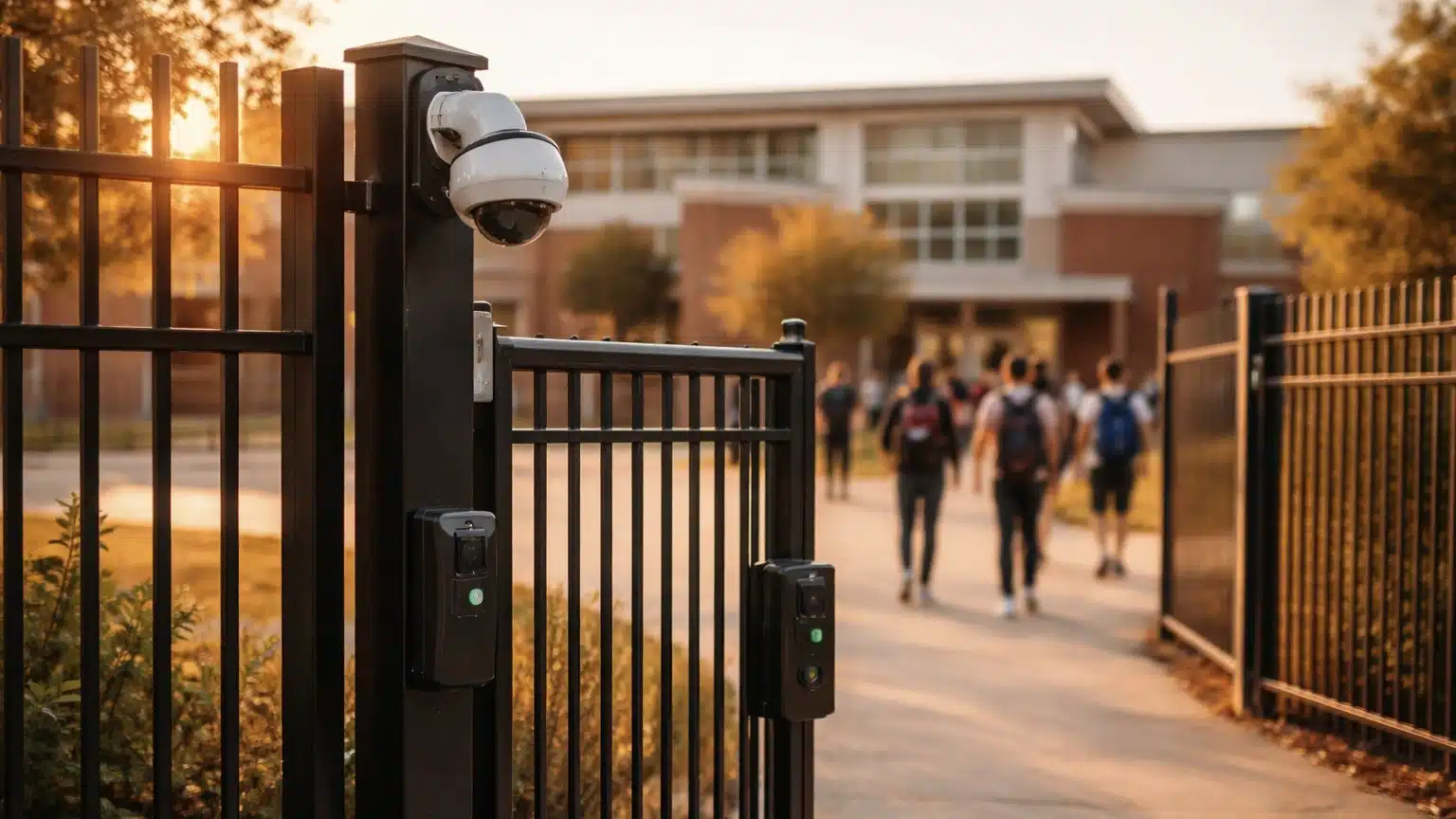
School security has shifted rapidly in recent years. Many districts now rely on advanced, AI-enhanced camera systems that can detect weapons, recognize individuals, and spot concerning behavior before it escalates. The need for stronger protection has never been greater. Between 2020 and 2024, law enforcement agencies reported more than 1 million criminal incidents at schools, involving roughly 1.5 million victims and just over a million known offenders. At the same time, rising security alerts, weapon incidents, and ransomware attacks are putting real pressure on administrators to update aging systems.
Investing in stronger, smarter security technology helps schools feel confident they’re using the right tools to protect students and staff. In this guide, we take a closer look at today’s leading security platforms and share practical, easy-to-apply steps for creating safer learning environments.
Key Takeaways
- This article compares several top school security systems – Omnilert, VOLT AI, ZeroEyes, Actuate, IntelliSee, IronYun Vaidio, and Ambient.ai – used in K-12 and higher education.
- The best security system combines AI video analytics, access control, intrusion detection, and mass notification into one cohesive response framework.
- Buyers should prioritize false alarm reduction, seamless integration with existing cameras and doors, and compliance with regional regulations.
Why School Security Systems Matter in 2026
Keeping schools safe is getting more complicated. Districts need systems that can handle many different types of risks. At the heart of it, school security is about making sure students and staff feel protected so learning can happen without interruption. Yet schools are dealing with more issues than ever, including bullying, vandalism, theft, violence, unauthorized entry, weapons, vaping, fights, and medical emergencies.
Worries about student safety are growing, and for good reasons. During the 2024–25 school year, nearly half of teachers and principals said they were concerned about students being attacked or harmed at school. That’s up 12 percent from 2022, which shows how important it is to have security tools that can tackle more than one threat at a time.
But even with video surveillance in place, plenty of schools still rely on old access control systems or paper sign‑ins that leave holes in their security. At the same time, families and policymakers are asking schools to strengthen safety while still respecting privacy.
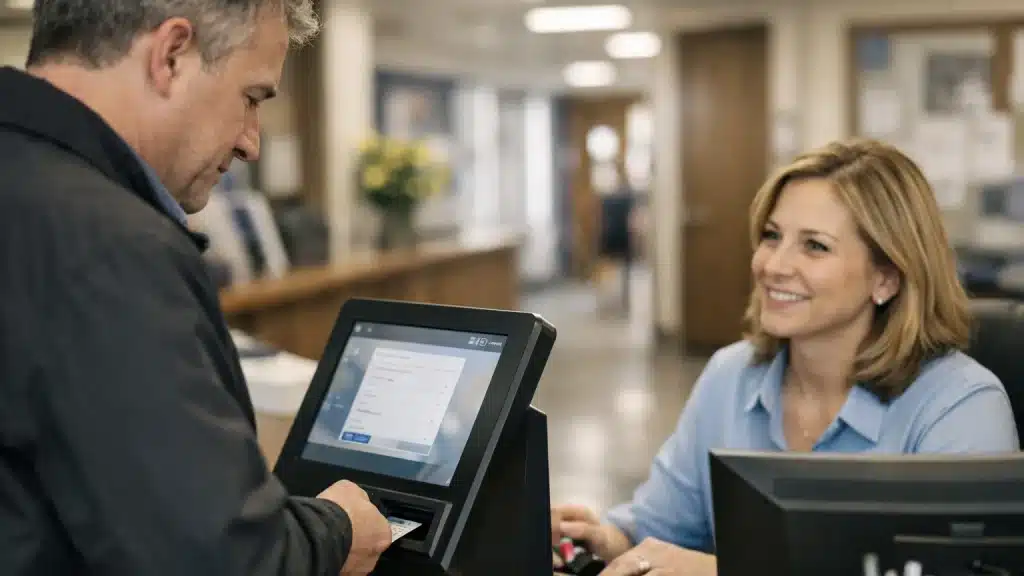
Keeping schools safe today takes a combination of smart tools and human judgment. Access control systems protect doors and limit who can enter. Video surveillance helps staff see what’s happening across campus as it unfolds. And visitor management tools make it easier to track and verify guests.
Even with all this new technology available, security personnel still play an important role in keeping schools safe. Their expertise helps them understand alerts, look into incidents, cut down on false alarms, and manage responses effectively. School resource officers are often a key part of that effort, bringing on-campus emergency response support, coordination with first responders, and ongoing involvement in school safety planning and threat assessment.
The top school security systems are built to make their jobs easier by detecting threats early, connecting information across platforms, and adding human checks to ensure accuracy. When people and technology work hand in hand, schools can create a safer environment for students and staff.
Core Components Every School Security System Should Have
While brands may differ, the most effective school implementations combine several key components into a security strategy:
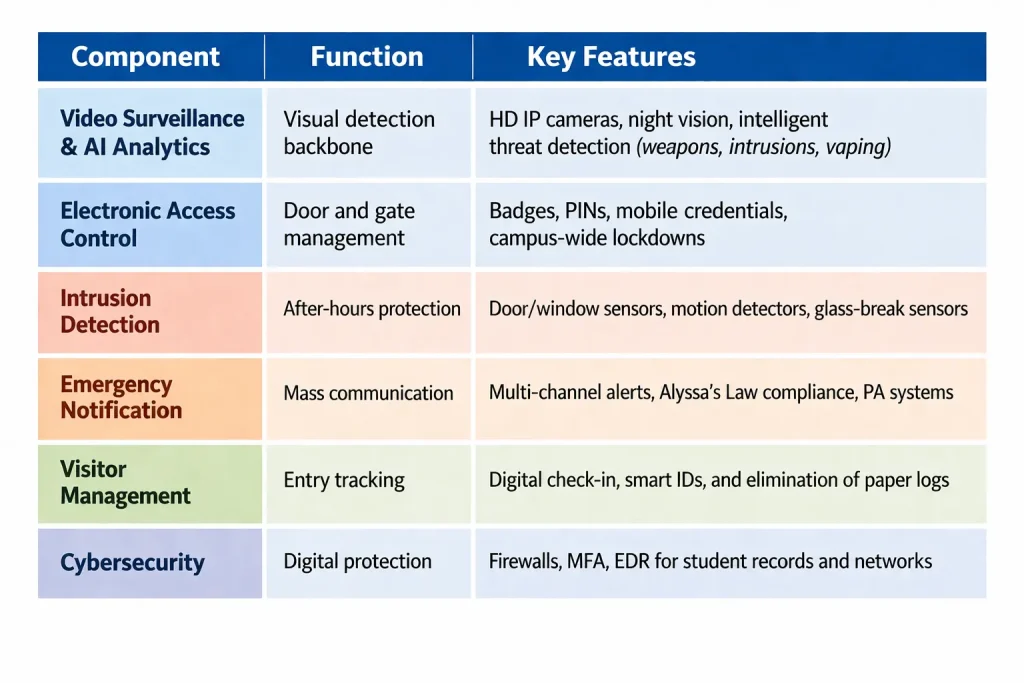
Keeping schools safe requires teamwork across both the physical and digital sides of campus. Federal agencies and industry leaders encourage schools to use layered, connected security strategies so they’re better prepared for threats and can respond more effectively.
Top School Security Systems
These platforms do not all solve the same problem in the same way. Some focus on firearm detection, some on unified video and access control, and others on broader AI analytics or workflow automation.
That distinction matters because detection alone is not the same as response. Many analytics platforms are built to identify something happening on a camera feed and push an alert into a video management system (VMS). That may be useful, but it often leaves the rest of the workflow to the school: verifying the event, notifying the right people, coordinating communications, triggering downstream actions, and managing the incident as it unfolds.
For schools, the real value is not just in whether a platform can recognize an object. It is about whether the system can help security teams understand context, reduce false alarms, and move from awareness to action in real time.
That is why the strongest school security strategies combine detection, communication, and coordinated response. Some vendors are primarily analytics companies. Others are better understood as broader incident-management or security-operations platforms. As you compare options, it is important to look beyond what a system can detect and evaluate what happens after detection, how it fits into your workflows, and whether it helps create a single, coordinated outcome across the systems you already use.
Omnilert Gun Detect – Expert Firearm Detection + Coordinated Response
Omnilert is best known for visible firearm detection, leveraging an industry-leading Data-centric AI approach to accurately detect a weapon in a fraction of a second. Still, that description alone undersells what the platform actually does. Omnilert is not just an analytics tool. It is a visual threat detection system coupled with emergency notification, communication, and automated response workflows.
Many video analytics vendors are built to detect almost anything you ask them to detect. Want firearms? They can do that. Bags? People? Vehicles? Loitering? Often yes. But a platform designed to detect everything is rarely the one that detects the most critical threats best.
Specialists tend to outperform generalists, which is why a dedicated firearm detection system is the stronger choice. General analytics platforms often operate with lower accuracy rates and are less effective in real time, especially in high-stakes environments where every second matters. Simply identifying an object on a camera feed is not the same as helping a school manage an incident as it unfolds. In many cases, the workflow stops after the alert is pushed into a VMS or security dashboard. The detection is logged, flagged, and left for someone else to interpret and act on.
Omnilert is built differently. Rather than treating detection as the end of the process, it treats detection as the beginning of a coordinated response. Its platform is designed to help schools move from “something was seen” to “the right people were informed, the right systems were triggered, and the right actions were set in motion.” That includes human verification to reduce false alarms, emergency notifications, automated workflows, integrations with connected systems, and support for escalation and response.
This is what makes Omnilert more than a standalone firearm-detection product. It is an incident-management layer built around visual threat detection. Schools can use it not only to identify a visible gun, but also to activate downstream actions such as lockdown communications, device triggers, first responder escalation, and coordination across existing campus safety infrastructure.
Omnilert’s broader value also comes from the ecosystem around that detection capability. Beyond outbound alerts, the platform connects with emergency communication workflows, service integrations, and other tools that help schools unify response across systems that are often disconnected. In practice, that gives schools a way to tie detection, communications, and action into a single outcome rather than treating each as a separate product category.
Expertise matters here. Visible firearm detection is not a category where schools benefit from a generic “detect anything” approach alone. Many broad analytics vendors are designed to classify a wide range of objects or behaviors, but school safety depends on speed, context, reliability, and what happens after the alert. Omnilert combines specialized firearm detection with the response capabilities needed to operationalize that detection in the moment it matters most.
How schools use it:
- Detect a possible visible firearm in real time on existing camera infrastructure
- Route alerts quickly to the right personnel through multiple communication channels
- Add a human-verification step to help reduce false alarms before response actions are taken
- Trigger connected systems such as access control, PA alerts, classroom check-ins, and mass notification workflows
- Support incident workflows that extend from detection through escalation, coordination, and response
Advantages
- Purpose-built for visible firearm detection rather than general-purpose object recognition, delivering faster, more accurate detection
- Goes beyond analytics by tying detection to communications, automation, and response workflows
- Helps schools operationalize detections in real time rather than simply flagging events in a VMS
- Integrates with existing cameras and connected safety systems
- Positions schools to manage incidents through a more unified response framework
Additional Considerations:
- Primarily focused on visible firearm threats rather than every possible behavior or object category
- As with any computer vision system, performance depends on camera placement, image quality, coverage, and lighting
- Some of the platform’s broader workflow and integration value may require stronger onboarding or interface familiarity to fully use
VOLT AI – Multi-Threat Detection on Existing Cameras
VOLT AI is a cloud-based safety platform that applies AI detection to existing camera infrastructure. Rather than requiring a full camera replacement, it works with standard IP camera environments to help schools monitor a range of incidents, including weapons, fights, perimeter breaches, crowding events, and other safety concerns.
The platform blends automated detection with human verification, helping schools avoid alert fatigue while still staying aware of potential issues in real time. Built-in mapping tools give teams a clearer picture of where an incident is happening across campus.
How schools use it:
- Watch for a range of concerns—fights, break-ins, or visible weapons
- Make sure alerts are reviewed and routed to the right people quickly
- Use mapping tools to understand the location of an event at a glance
Advantages:
- Works with many existing camera systems
- Detects various threats
- Uses verification processes to minimize false alarms
- Mapping tools enhance awareness during incidents
Additional Considerations:
- May require separate systems for emergency messages and coordinated communication
- Not as purpose-built for firearm detection and response as dedicated gun-detection platforms
- Broader multi-threat coverage can create more policy, tuning, and escalation decisions for school teams than narrower-purpose platforms
- Because it is positioned as an enhancement to existing infrastructure, results may vary more depending on the quality and consistency of the cameras already in place.
ZeroEyes – Firearm Detection with Human Verification
ZeroEyes is a firearm-detection platform built specifically to spot visible guns in security camera feeds. It works with the cameras schools already have and uses a human-in-the-loop review process so that any potential detection is checked before an alert is sent out.
Because it focuses on one type of threat, schools typically use ZeroEyes as part of a broader safety strategy rather than as a full-response platform. It’s often paired with video surveillance, access control, and communication tools to strengthen response to visible-weapon threats.
How schools use it:
- Continuously monitor camera feeds for visible firearms
- Send potential detections to in-house analysts for rapid review
- Notify school security and law enforcement when a threat is verified
- Add a firearm-detection layer to their existing security setup
Advantages:
- Focused on visible firearm detection
- Works with camera systems that schools already have
- Human review helps reduce false alarms
- Adds a layer of safety to existing programs
Additional Considerations:
- Primarily a detection layer rather than a full detection-to-response workflow
- Not a complete solution for communication, access control, or handling incidents
- As with any camera-based system, effectiveness depends on coverage quality and whether key entry points and common areas are well-positioned for detection
- Schools may need to spend more time aligning the system with existing emergency procedures, law enforcement coordination, and staff training
Actuate – Cloud-Based Analytics for Existing Infrastructure
Actuate is a cloud-based video analytics platform that adds AI detection to existing IP camera systems. It is designed for organizations that want to improve threat detection without replacing current hardware, making it a practical option for schools looking to build on prior security investments.
The platform supports functions such as firearm detection, intruder detection, and loitering or crowding alerts. Its cloud-based setup also makes it easier for districts to start small, run a pilot, see how it performs, and then expand over time without having to build out big on-premise server rooms.
How schools use it:
- Add AI threat detection to the cameras they already have
- Keep an eye on after-hours doors for loitering or unauthorized access
- Test the system on a handful of cameras before rolling it out district-wide
- Connect analytics to their existing alarm, VMS, or notification tool
Advantages:
- Lets schools add AI capabilities without replacing camera hardware
- Cloud model supports phased rollouts and pilots
- Covers more than one type of threat or suspicious activity
- Can integrate with existing security infrastructure
Additional Considerations:
- Does not by itself provide a full emergency communication solution
- Schools may need other platforms for mass notification or coordinated response
- Cloud-based analytics may raise additional review needs around bandwidth, data handling, or deployment preferences for districts with stricter IT governance.
- As with other analytics-first platforms, schools may need to do more work to connect detections to clear response playbooks and cross-system actions.
IntelliSee – Safety Monitoring Beyond Security Threats
IntelliSee is an AI monitoring platform that uses existing camera infrastructure to help schools detect trespassing, visible weapons, slip-and-fall hazards, and certain facility-related concerns.
This broader approach can be a good fit for schools that want a system supporting both security response and everyday safety needs. Districts can choose edge-based or cloud-based deployment depending on their policies, infrastructure, and how they handle data.
How schools use it:
- Detect security issues like fights, trespassing, or visible weapons
- Spot everyday risks such as spills, falls, or facility problems
- Route alerts to security, facilities, or administrative teams as appropriate
- Build a more comprehensive safety program using the cameras they already have
Advantages:
- Covers both incident response and day-to-day safety risks
- Works with existing cameras
- Flexible ways to implement security measures
- Helps schools improve safety beyond just active threats
Additional Considerations:
- Might not meet the specific needs of schools focused solely on detecting weapons
- Still needs complementary communication and response tools
- Broader uses may require more coordination between different departments
- Its broad safety-plus-facilities positioning may feel less targeted for schools that want a highly specialized active-threat solution first.
- Covering many alert types can require stronger internal ownership so that the right incidents go to security, facilities, or administrators without confusion.
IronYun Vaidio – Modular AI Video Analytics
IronYun Vaidio is a modular AI video analytics platform designed to work across a range of camera and VMS environments, allowing organizations to add selected analytics over time.
Available capabilities include intrusion detection, people counting, license plate recognition, weapon detection, and natural-language video search. Because schools can license only the features they plan to use, the platform may be a fit for districts that want flexibility rather than an all-in-one bundled system.
How schools use it:
- Add targeted analytics to an existing multi-vendor camera environment
- Monitor perimeters, parking lots, and entrances with selected AI modules
- Search video more quickly using descriptive or natural-language queries
- Expand capabilities over time without replacing the full security stack
Advantages:
- Highly modular and adaptable
- Works across mixed camera and VMS ecosystems
- Wide analytics library
- Scales with district growth and priorities
Additional Considerations:
- Needs thoughtful assembly to form a complete workflow
- Not inherently an end-to-end detection-to-response system
- More complex to configure compared to unified platforms
- A highly modular platform can put more burden on the school or integrator to decide which analytics matter most and how they should work together in practice.
- Schools seeking a simpler out-of-the-box experience may find a modular analytics stack harder to standardize across campuses.
Ambient.ai – Security Automation + Contextual Detection
Ambient.ai is a cloud-based platform that helps schools automate their security responses. It analyzes video alongside signals from systems like access control to detect suspicious activity, add context to alerts, and support faster incident assessment.
For districts with older security systems, it can be valuable for automating tasks and coordinating workflows. It also helps with investigations, provides occupancy insights, and helps with operational planning for larger campuses.
How schools use it:
- Identify tailgating, loitering, or breaches of the perimeter
- Provide context by combining video footage with access control and alarm data
- Set up automatic alerts or lock doors when needed
- Review video and occupancy trends to help with planning and drills
Advantages:
- Automates tasks and analyzes situations well
- Combines data from different systems for a full view
- Manages both incident responses and operational data
- Ideal for large or well-developed security environments
Additional Considerations:
- May not be suitable for schools that need a specific focus
- Still requires separate mass notification tools
- May be better aligned with larger, more mature security operations than with smaller districts wanting a lighter-weight deployment
- Its value depends heavily on pulling context from multiple connected systems
- Schools with less integrated environments may not see the full benefit right away
School Security System Comparison
| Platform | Best Known For | Key Strengths | Best Fit |
|---|---|---|---|
| Omnilert Gun Detect | Visible firearm detection + coordinated response | Wide threat coverage, human verification, and built-in mapping tools | Schools that want more than a gun-detection alert layer and need a platform that helps coordinate response across cameras, communications and connected safety systems |
| VOLT AI | Multi-threat detection | Schools that want a phased rollout on existing IP cameras | Schools that want broader detection on existing cameras |
| ZeroEyes | Visible firearm detection | Visible gun detection, human review, works with existing cameras | Schools that want a focused gun-detection layer within a broader security stack |
| Actuate | Cloud-based AI analytics | Works with existing IP cameras, supports phased rollout, VMS integration | Schools that want phased rollout on existing IP cameras |
| IntelliSee | Safety + security monitoring | Covers both security and facility risks, with flexible deployment options | Schools that want to monitor both threats and facility risks |
| IronYun Vaidio | Modular video analytics | Flexible analytics library, natural-language search, mixed-environment support | Schools that want flexible analytics in mixed camera environments |
| Ambient.ai | Contextual security automation | Access control integration, workflow automation, contextual alerting | Schools that want video alerts enriched with system context |
School Security Policies and Regulations

Good school security starts with good policies. These govern everything from who can get into the building to how emergencies are handled. They also need to be up-to-date and follow programs and regulations.
A solid policy does more than sit in a binder. It spells out who handles what, how incidents should be reported, and how access to the building is controlled throughout the day. It also explains how tools like AI‑powered cameras and modern access control systems fit into the school’s overall safety strategy.
Of course, even the best policy won’t make a difference if people don’t know what to do. That’s where training comes in. Security teams need to be confident in their emergency response steps, and students and staff need to understand what to expect during a lockdown, evacuation, or drill. Regular practice and clear communication help reduce anxiety and build trust.
When schools pair strong policies with the right technology and back it all up with ongoing training, they create a safer, more predictable environment for everyone. It’s the combination of preparation, clarity, and consistency that truly moves the needle.
How to Choose the Right School Security System
For school administrators planning security upgrades for upcoming budget cycles, a systematic approach can ensure the best investment.
A strong school safety plan starts with understanding what’s actually happening on your campuses. That means looking closely at recent incidents like bullying, vandalism, break-ins, even cyberattacks and connecting those real-world events to the protections your schools truly need. Once you’ve mapped out your hotspots, review your existing setup with fresh eyes. It’s the easiest way to understand what your cameras, networks, and staff can manage and where the weak spots remain.
With that foundation, you can start comparing security platforms in a way that aligns with how schools operate. Look at how accurately each system detects issues and how often it triggers false alarms. Check whether it works with the cameras and door hardware you already have, how much training your staff will need, and what the vendor’s support history looks like. It’s also worth thinking about scalability – whether the system can grow from a single building to multiple campuses, and how it manages data privacy and legal requirements. And of course, consider the long-term costs, including licensing, storage, and ongoing maintenance.
Every district’s needs look a little different. For many large districts, the biggest payoff comes from integrated platforms that bring video, access control, analytics, and response workflows under one roof. But for smaller schools or those tackling a specific challenge, targeted add-ons such as weapons detection or improved visitor management can be a smart way to enhance security without replacing everything they already have.
In either case, the goal should be the same: build a layered, evidence-based security strategy that reflects real risks, supports staff usability, and can grow over time.
How Grant Funding Can Support School Safety Upgrades
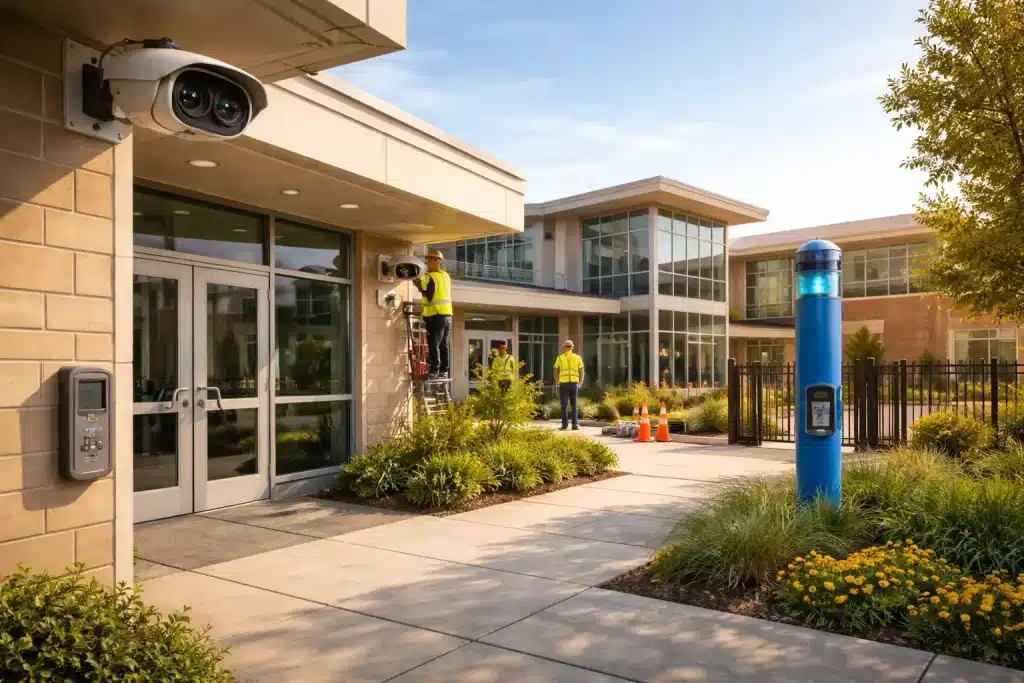
Grant funding can play a major role in making that strategy achievable. School safety grants are designed to fund thoughtful, evidence-based plans rather than one-off purchases. Successful applications usually begin with a clear understanding of risk, documented gaps, and a practical roadmap for improvement.
Federal funding can also play a big role in helping schools strengthen their safety plans. Programs like the School Violence Prevention Program (SVPP) often support physical security upgrades, including things like cameras, access control, panic buttons, and emergency communication tools. The STOP School Violence Program takes a different angle, focusing more on prevention through training, threat assessment, reporting tools, and coordinated response efforts.
Schools can also turn to SchoolSafety.gov, which serves as a central hub for finding grant opportunities and building plans that are truly “grant‑ready.”
Generally, schools that can clearly show how detection, communication, response, and training work together are often in a stronger position to compete for funding and turn grant dollars into meaningful safety improvements.
School Security Technology Trends
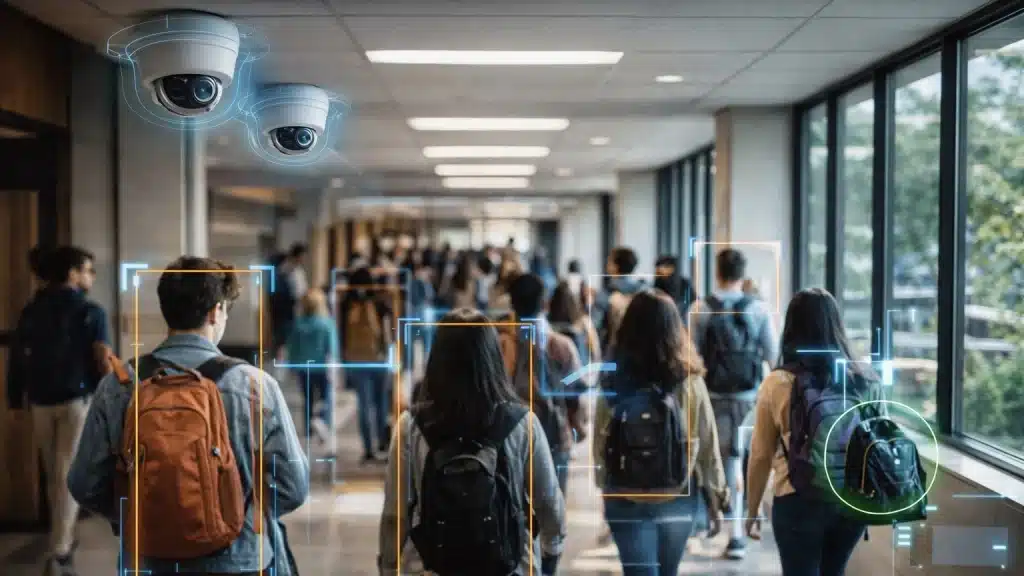
School security technology is changing quickly. Here are the trends that are shaping the next generation of campus security:
AI‑driven behavioral analytics can help schools spot patterns that need attention before they grow into something more serious, for example, repeated loitering near entrances or movement that doesn’t match normal campus activity. This gives security teams an extra layer of visibility into situations that may deserve a closer look.
Identity systems will become more unified. Instead of handling network logins and building access as separate tasks, they will connect both into a single system. That shift helps close long‑standing gaps between IT systems and on‑campus security.
Privacy-preserving technologies will play a bigger role as schools adopt more advanced safety tools. Things like on-device or edge processing, anonymization, and role‑based access controls can help schools strengthen security overexposing sensitive information.
Schools should look for flexible platforms that let them add new analytics over time without swapping out all their hardware. A modular setup protects the investment they’ve already made and makes it easier to adopt new AI tools as they emerge.
Conclusion: A Safer Learning Environment
Choosing a school security system is not just about adding more technology or selecting the platform that can detect the most objects on camera. It is about giving schools the ability to identify threats, understand context, communicate quickly, and respond in a coordinated way when every second matters.
That is why detection alone is not enough. Many platforms can flag an event in a camera feed. Fewer can help schools operationalize that event through verification, communication, automation, and response workflows that connect the systems and people involved.
For many schools, the most effective investment will be a layered approach that brings together video, access control, communications, and emergency procedures into one cohesive framework. The systems that create the most value are the ones that help schools move from awareness to action, turning an alert into a coordinated outcome instead of just another notification on a screen.
Explore how Omnilert helps campuses strengthen their school security systems to go beyond simply spotting a visible firearm and move toward a truly coordinated, real‑time response by connecting detection, alerts, communication, and action.
Frequently Asked Questions (FAQs)
Can I use my existing cameras with these top school security systems?
Most AI analytics tools are built to work with common IP cameras that use RTSP or ONVIF. Before moving forward, it’s helpful to have your integrator take a close look at your current cameras, including their resolution, field of view, and network strength, to confirm they can support the analytics you plan to add. In many cases, schools can reuse much of what they already have and save on upgrade costs. But older analog or low-resolution cameras may need to be swapped out to enable features like weapon detection.
How do I balance security cameras with student privacy?
Privacy involves careful camera placement (avoiding restrooms and locker rooms), clear written policies and strictly restricted access to video footage. Many regions require notification to parents and staff about surveillance and some prohibit or restrict audio recording in classrooms. Schools should work with legal counsel and community stakeholders to establish transparent rules on retention periods, who can view footage and protocols for sharing with law enforcement. These measures address security concerns while respecting student rights.
Are AI gun detection systems reliable enough to trust in real emergencies?
Leading systems have made significant accuracy gains and achieve high detection rates with low false positive rates when combined with human verification. However, no AI is perfect. The most responsible deployments combine AI with human verification through 24/7 operations centers, multi-factor signals (video, access logs, sensors), and carefully rehearsed emergency response protocols.
How long does it take to deploy a new school security system?
How long a project takes really depends on its scope. A small pilot that uses your current cameras can go live in a matter of weeks, while a district-wide deployment may take 6–18 months. Along the way, you’ll move through phases like design, risk assessment, procurement, installation, configuration, integration, staff training, and live drills. It’s also worth setting aside time for communication and policy work so everyone feels prepared. Working with integrators who know schools well can make the whole process smoother and faster.